How do I check my remaining credits?
Last updated: September 18, 2025
You can check your usage dashboard under Usage & Billing in the side bar. The usage dashboard provides a clear view of your execution metrics with several key components:
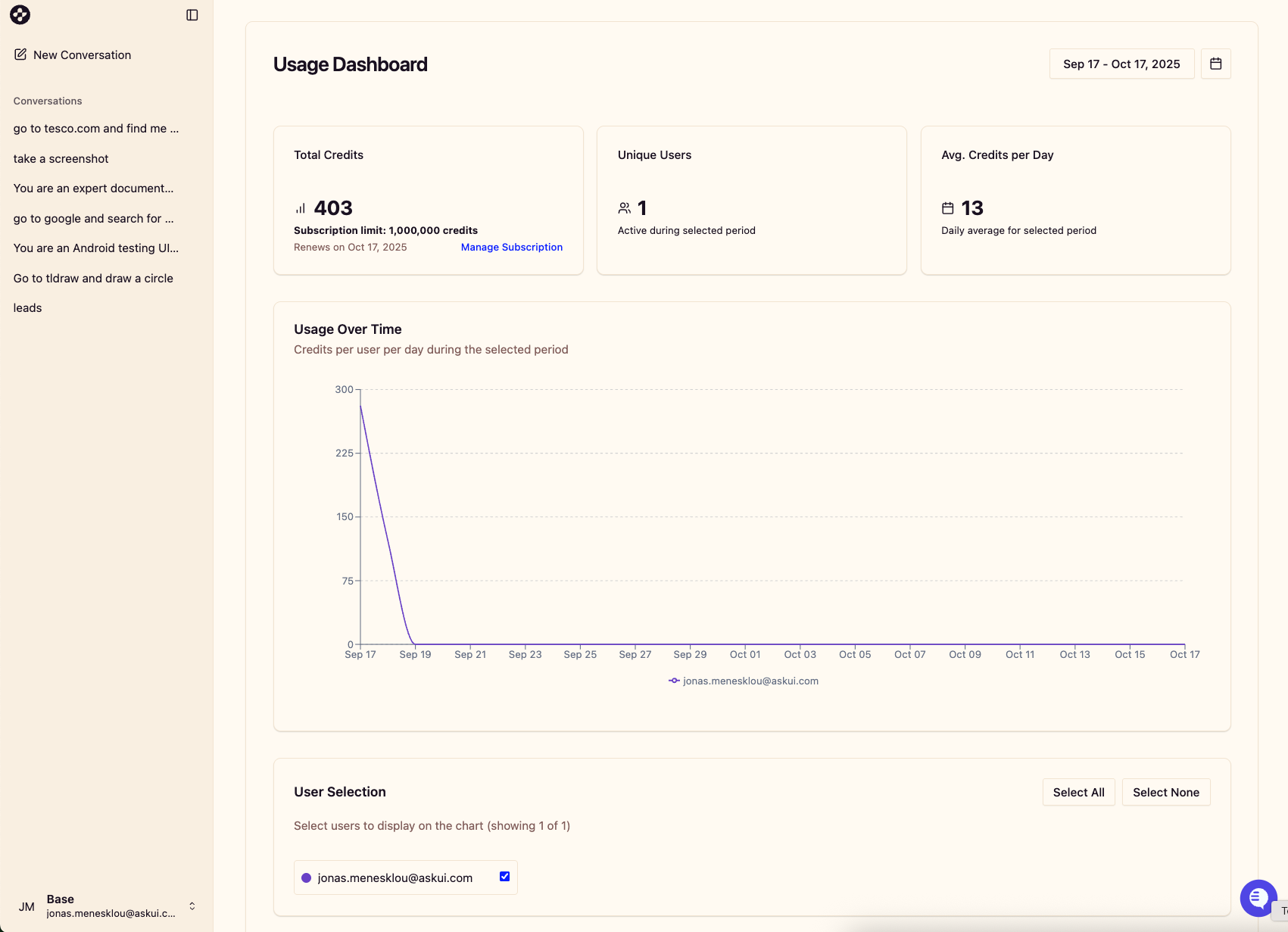
At the top of the dashboard, you’ll find summary cards showing important metrics:
Total Credits: The total number of credits (e.g. 21,509)
Unique Users: Number of active users who performed actions
Avg. Events per Day: Average daily credit count during the selected period
You’ll also see important subscription information:
Subscription limits
Renewal date
One of the dashboard’s key features is the ability to customize your date range:
Select specific date ranges using the date picker in the top-right corner
Analyze trends during your chosen timeframe
Compare usage across different periods
The dashboard includes a detailed usage graph showing:
Used credit count per user per day during the selected period
Visual trends in usage over time
Color-coded lines representing different users (e.g., john.doe@email.com, test1@email.com)
Y-axis showing execution volumes up to 20,000+ events
X-axis showing dates throughout your selected period
This visualization helps identify usage patterns, peak activity periods, and individual user contributions.
Below the graph, you’ll find user selection options:
Checkboxes to select which users to display on the chart
Options to “Select All” or “Select None” for quick filtering
Each user has a distinct color for easy identification on the graph
This feature allows you to focus on specific users’ activities or view combined usage patterns across your team.